Model Migration Guide: How to Upgrade AI Models Step-by-Step
Focus keyword: model migration guide
Upgrading your AI models shouldn’t feel like navigating a minefield. Whether you’re using OpenAI’s GPT models in your automation workflows, running self-hosted models from Hugging Face, or building with no-code tools like n8n, understanding how to migrate from older models to newer versions is essential for keeping your applications running smoothly and taking advantage of performance improvements.
This model migration guide walks you through everything you need to know to upgrade AI models confidently, avoid common pitfalls, and test your changes before they go live.
▶Previous tutorial : Beginner’s Guide to Claude Workbench Prompts: Experiment and Export Code Easily
What Is AI Model Migration and Why Does It Matter?
For the latest official details, see OpenAI announced on June 11, 2026.
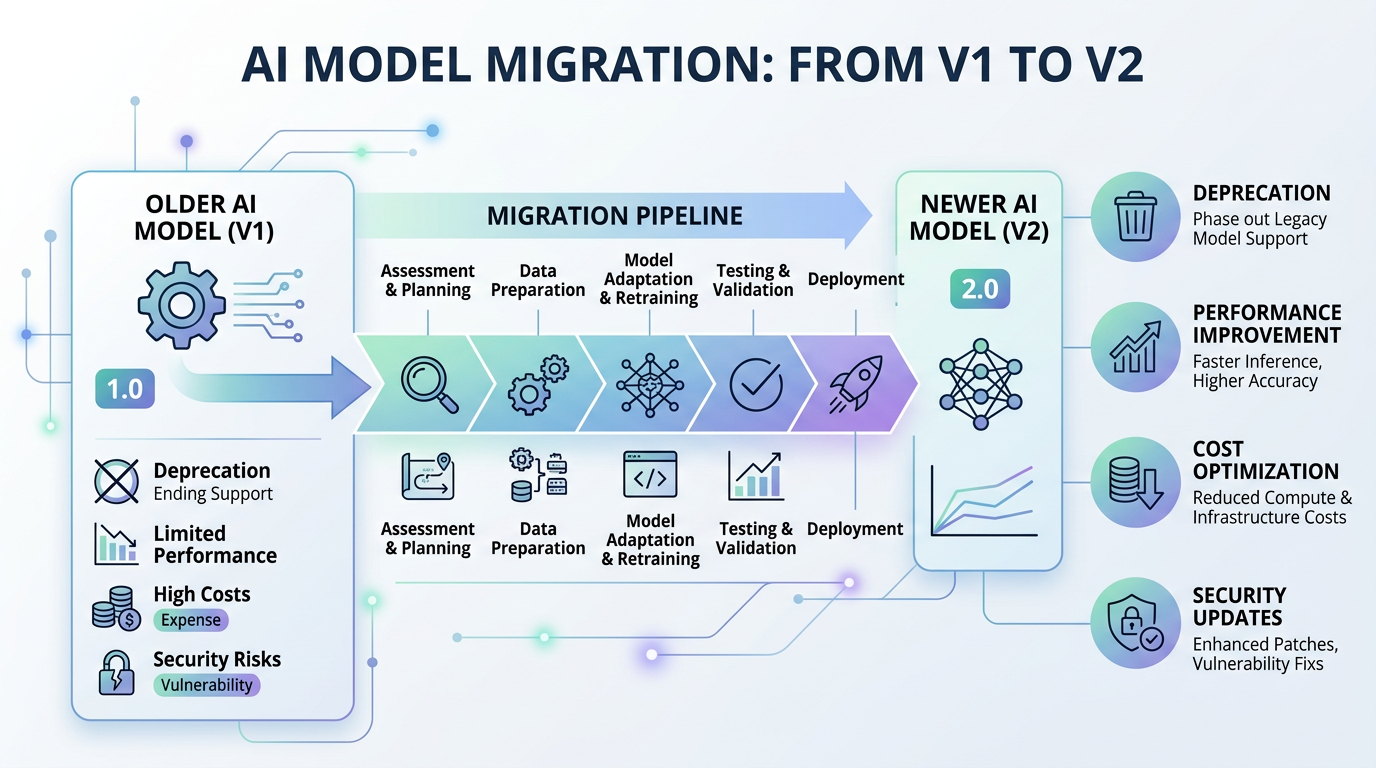
AI model migration is the process of switching from an older version of a machine learning model to a newer one in your application or workflow. This isn’t just about getting the latest features—it’s often necessary for practical reasons:
Deprecation schedules: Providers like OpenAI retire older models regularly. For example, OpenAI announced on June 11, 2026 that older GPT-5 and o3 model snapshots would be removed from the API on December 11, 2026. According to OpenAI’s deprecation policy, generally available models receive at least 6 months notice before retirement, specialized variants get 3 months, and preview models can be retired with as little as 2 weeks notice.
Performance improvements: Newer models often deliver better accuracy, faster response times, or more capabilities than their predecessors.
Cost optimization: Sometimes newer models are more efficient and cost less per token, while other times they’re more expensive but deliver better results—you need to evaluate the trade-off.
Security updates: Newer versions may include important safety improvements or fixes for edge cases.
Understanding when and how to migrate helps you avoid service disruptions and keeps your AI integrations up to date.
Who This Tutorial Is For
This guide is designed for:
- Developers building applications with API-based AI models
- No-code builders using tools like n8n, Make, or Zapier with AI nodes
- Tech-savvy beginners managing AI workflows who want to understand migration without breaking production systems
You don’t need to be an AI expert, but you should have basic familiarity with the AI service or tool you’re currently using.
Before You Start: Understanding Breaking vs Non-Breaking Changes
Not all model upgrades are created equal. Some migrations are as simple as changing a model name in your configuration; others require code changes, prompt adjustments, and extensive testing.
Non-breaking changes might include:
- Minor version updates that maintain API compatibility
- Models with identical input/output formats
- Direct replacement models recommended by the provider
Breaking changes can involve:
- Different parameter names or structures
- Changed response formats (JSON structure, field names)
- New rate limits or pricing
- Different token limits or context windows
- Modified behavior that affects your prompts
Always check the official changelog or deprecation documentation before starting your migration. For OpenAI models, consult their Deprecations page, which lists specific shutdown dates and recommended replacement models.
Your Pre-Migration Checklist
Before changing anything in your production environment, work through this systematic checklist:
Document your current setup:
- Which model version are you currently using?
- What are your exact API parameters (temperature, max_tokens, etc.)?
- What prompts or prompt templates do you use?
- What does your typical input and output look like?
Research the new model:
- Read the official release notes and migration guide
- Check for breaking changes in the API documentation
- Note any parameter changes or deprecations
- Review pricing changes and calculate cost impact
- Verify the new model supports your use case
Plan your testing strategy:
- Identify representative test cases from your actual usage
- Set up a way to compare old vs new outputs side-by-side
- Determine success criteria (accuracy, latency, cost)
Prepare a rollback plan:
- Make model version configurable via environment variables
- Document the exact steps to revert to the old model
- Ensure you can switch back quickly if issues arise
Step-by-Step Migration for API-Based Models
This walkthrough uses OpenAI as an example because it’s the most common use case, but the principles apply to Anthropic Claude, Google Gemini, and other API providers.
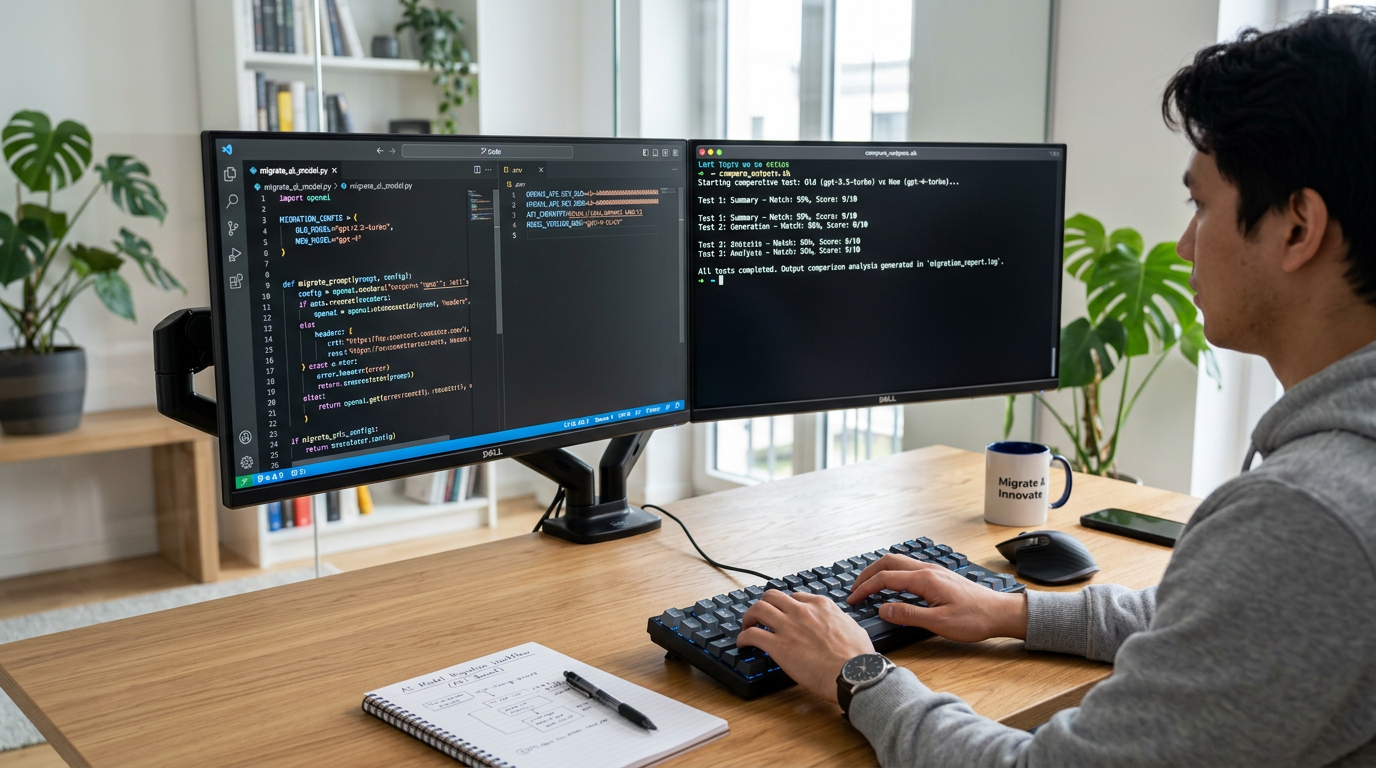
Step 1: Make Your Model Version Configurable
Instead of hardcoding the model name in your application, use environment variables or configuration files. This makes testing and rollback much easier.
Create a .env file:
OPENAI_MODEL_NAME=gpt-4o
OPENAI_API_KEY=your_api_key_here
In your Python code:
import os
from openai import OpenAI

client = OpenAI(api_key=os.getenv("OPENAI_API_KEY"))
model_name = os.getenv("OPENAI_MODEL_NAME", "gpt-4o")

response = client.chat.completions.create(
    model=model_name,
    messages=[
        {"role": "user", "content": "Explain quantum computing simply"}
    ]
)
Or in JavaScript/Node.js:
require('dotenv').config();
const OpenAI = require('openai');

const client = new OpenAI({
  apiKey: process.env.OPENAI_API_KEY
});

const modelName = process.env.OPENAI_MODEL_NAME || 'gpt-4o';

async function getCompletion(prompt) {
  const response = await client.chat.completions.create({
    model: modelName,
    messages: [{ role: 'user', content: prompt }]
  });
  return response.choices[0].message.content;
}
Step 2: Set Up Parallel Testing
Create a simple test script that runs the same prompt through both the old and new models:
import os
from openai import OpenAI

client = OpenAI(api_key=os.getenv("OPENAI_API_KEY"))

def test_model(model_name, test_prompt):
    response = client.chat.completions.create(
        model=model_name,
        messages=[{"role": "user", "content": test_prompt}],
        temperature=0.7,
        max_tokens=500
    )
    return response.choices[0].message.content

# Test prompts from your actual use case
test_cases = [
    "Summarize this product review: ...",
    "Extract the main action items from this text: ...",
    # Add more real examples
]

old_model = "gpt-4o"
new_model = "gpt-5.4"

for prompt in test_cases:
    print(f"\n--- Test: {prompt[:50]}...")
    print(f"Old model ({old_model}):\n{test_model(old_model, prompt)}")
    print(f"\nNew model ({new_model}):\n{test_model(new_model, prompt)}")
Step 3: Update Your Configuration
Once testing confirms the new model works as expected, update your .env file:
OPENAI_MODEL_NAME=gpt-5.4Restart your application and monitor closely.
Step 4: Monitor and Validate
After deployment:
- Watch error logs for API failures or unexpected responses
- Track latency and performance metrics
- Monitor your API usage and costs
- Keep the old model name handy for quick rollback if needed
Migrating AI Models in n8n Workflows
If you’re using n8n for AI automation, model migration is more visual but follows similar principles.
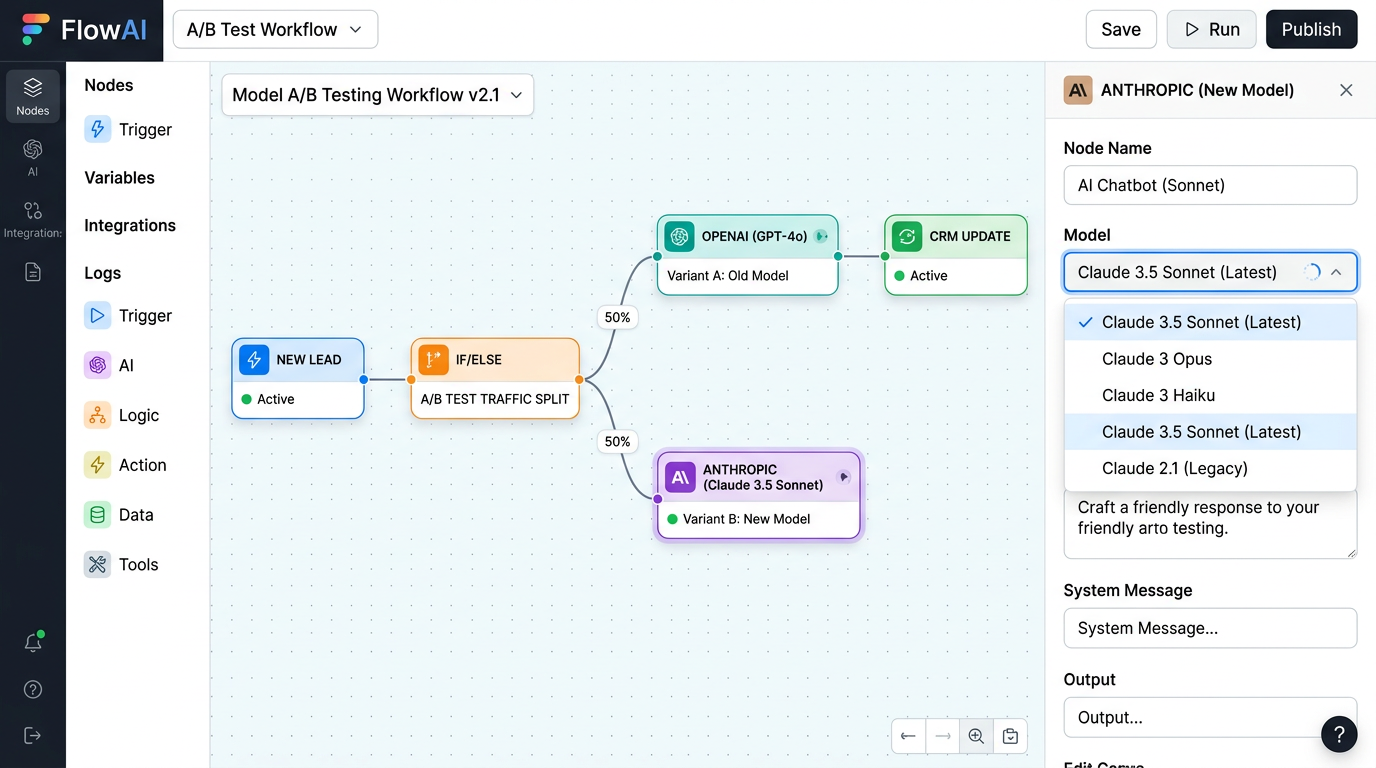
Locate your AI nodes: Open your n8n workflow and find nodes that call AI models (OpenAI node, Anthropic node, etc.).
Check the model dropdown: n8n AI nodes typically have a “Model” dropdown where you select the specific model version. Before changing anything, note your current selection and test your workflow manually.
Update to the new model: Select the new model from the dropdown. If the model you want isn’t listed, you may need to update your n8n instance or check if the provider requires credential updates.
Test the workflow: Use n8n’s “Execute Workflow” feature to test with real data. Compare outputs to ensure the new model behaves as expected.
Use version nodes for A/B testing: If you want to run old and new models side-by-side, duplicate your AI node, connect both to your workflow, and use an IF node to route traffic or compare results.
Always consult the official n8n documentation for the most current node configuration options, as integration methods can change between n8n releases.
Migrating Self-Hosted Models from Hugging Face
Self-hosted model migrations involve downloading and loading new model versions rather than just changing an API parameter.
Identify the model and version: Hugging Face models use repository names (e.g., bert-base-uncased) and may have specific revisions or tags. Check the model card for versioning information.
Download the specific version: Use the transformers library to load a specific model version. Before running commands in production, verify the exact syntax in the official Hugging Face documentation, as library APIs can evolve.
Test locally first: Load both old and new models in your development environment and compare inference results on your actual data.
Plan for infrastructure changes: Newer models might be larger and require more VRAM or CPU resources. Check the model card for hardware requirements before deploying.
Update your deployment: Replace the model in your Docker container or deployment environment, ensuring your inference server configuration points to the new model path.
Common Model Migration Mistakes to Avoid
Skipping the changelog: Always read release notes and migration guides. Providers document breaking changes for a reason.
Testing only with toy examples: Use real data from your production use case. Generic test prompts won’t catch edge cases specific to your application.
Ignoring cost changes: A model upgrade might double your API costs if the new model is more expensive per token. Calculate cost impact before migrating high-volume applications.
No rollback plan: Don’t change your production model unless you can quickly revert. Use configuration files or feature flags to make rollback instant.
Migrating everything at once: If you have multiple features using the same model, consider a phased rollback—migrate one feature, monitor, then migrate the next.
Forgetting about ChatGPT vs API timelines: OpenAI sometimes retires models from ChatGPT while keeping them available in the API, or vice versa. Don’t assume consumer and developer timelines are identical. Always check the official Deprecations page for your specific use case.
Frequently Asked Questions
How long does a typical migration take? Simple API-based migrations can be done in an hour if there are no breaking changes. More complex migrations involving prompt engineering changes or self-hosted model updates can take several days of testing and validation.
Will I need to change my prompts? Sometimes. Newer models may interpret instructions differently or have different strengths. Test your existing prompts first; if results degrade, iterate on prompt wording.
Can I run multiple model versions in parallel? Yes, and it’s a good practice for large applications. Use configuration or feature flags to route a percentage of traffic to the new model while keeping the old one as a fallback.
What if the old model is deprecated but I’m not ready? Check the deprecation notice period—OpenAI gives at least 6 months for generally available models. Use that time to plan, test, and migrate. If you absolutely can’t migrate in time, contact the provider about extended access or consider switching providers.
Do I need to retrain or fine-tune after migration? Not usually. Most migrations are about switching to a new base model. If you have fine-tuned models, check whether the new base model supports fine-tuning and whether you need to retrain on the new base.
Your Downloadable Migration Checklist
Here’s a practical checklist you can copy and use for every migration:
Planning Phase:
- [ ] Identify current model version
- [ ] Document current configuration (parameters, prompts)
- [ ] Read official changelog and deprecation notice
- [ ] List breaking changes
- [ ] Calculate cost impact
- [ ] Check hardware requirements (self-hosted)
Testing Phase:
- [ ] Set up configuration to switch models easily
- [ ] Create test cases from real production data
- [ ] Run parallel tests (old vs new model)
- [ ] Compare output quality
- [ ] Measure latency differences
- [ ] Validate edge cases
Deployment Phase:
- [ ] Update configuration to new model
- [ ] Deploy to staging environment first
- [ ] Monitor error logs
- [ ] Track performance metrics
- [ ] Confirm costs match estimates
- [ ] Document rollback steps
Post-Migration:
- [ ] Monitor for 48 hours minimum
- [ ] Collect user feedback (if applicable)
- [ ] Update internal documentation
- [ ] Archive old model configuration
Next Steps After Your First Migration
Successfully completing your first model migration guide builds the foundation for maintaining healthy AI integrations over time.
Set up monitoring: Use logging and alerting to catch API errors or performance degradation early. Track both technical metrics (latency, error rate) and business metrics (output quality, user satisfaction).
Subscribe to provider updates: Join mailing lists or RSS feeds for deprecation announcements from OpenAI, Anthropic, Google, or whichever providers you use. Proactive awareness gives you time to plan.
Document your migration process: Turn this checklist into a runbook specific to your application. Future migrations will be faster when you have your own tested process.
Consider automation frameworks: Tools like LangChain and LlamaIndex can abstract some provider-specific details, making migrations easier—but always verify their current integration methods in official documentation before adopting.
Plan regular model reviews: Set a quarterly reminder to review whether newer models would benefit your application, even if deprecation isn’t forcing your hand.
By treating model migration as a regular maintenance task rather than a crisis response, you’ll keep your AI workflows running smoothly and take advantage of improvements as they become available. Before following any specific migration steps, always check the latest official documentation from your provider, as setup methods, model names, and best practices evolve over time.
Enjoyed this article?