
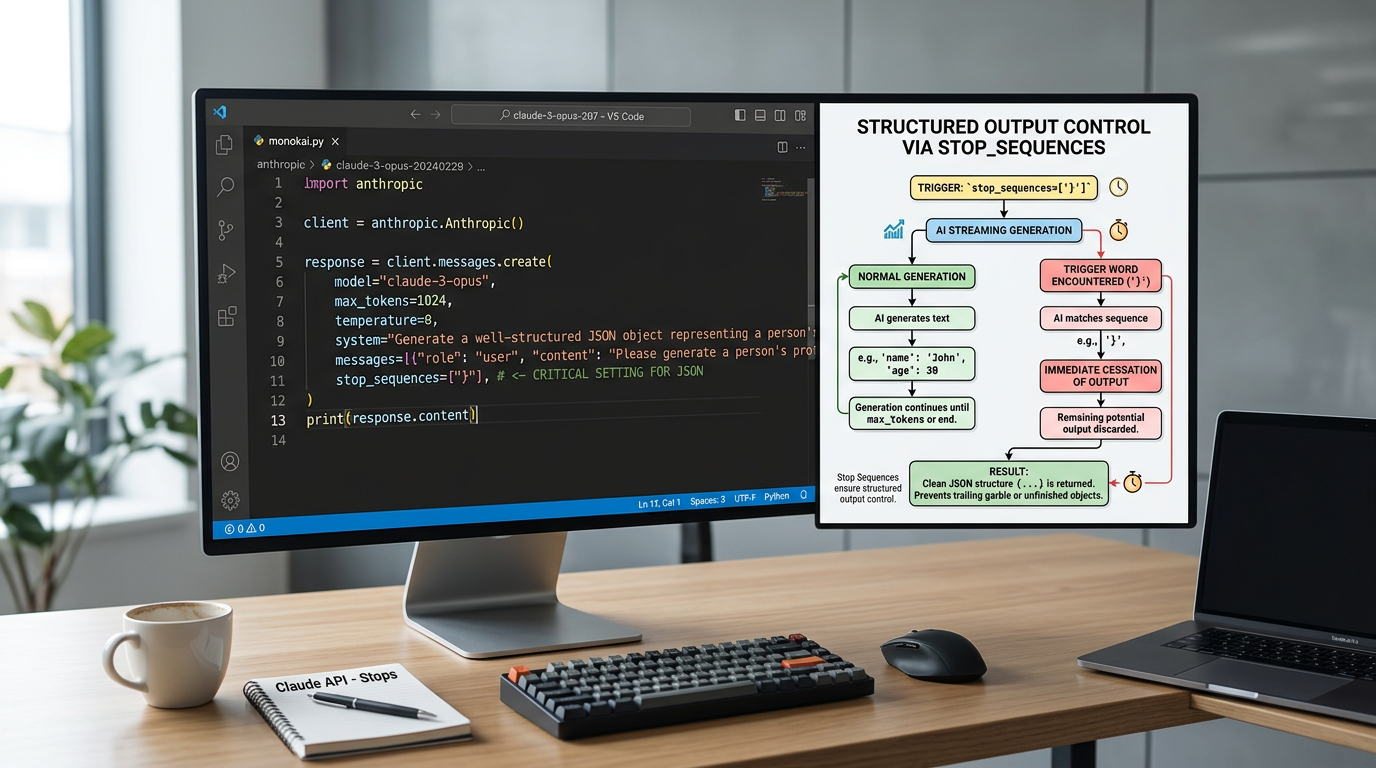
Claude API Parameters Tutorial: Master Temperature, Max_Tokens, and Stop Sequences
Focus keyword: Claude API parameters tutorial
If you’ve ever called the Claude API and received responses that were too random, too long, or wouldn’t stop where you wanted, you’re not alone. Most beginners don’t realize that three simple parameters—temperature, max_tokens, and stop_sequences—give you precise control over how Claude generates text.
This Claude API parameters tutorial will show you exactly how to use these settings to control AI output. By the end, you’ll have working code examples and understand when to adjust each parameter for your specific use case.
Previous tutorial : Defining Claude Personality with System Prompts: A Practical Beginner’s Guide
Who This Tutorial Is For
This guide is designed for:
- Developers making their first Claude API calls
- No-code builders who want to understand what’s happening under the hood before using automation tools
- AI automation enthusiasts building workflows with n8n, Make, or custom scripts
- Anyone who’s frustrated with unpredictable or uncontrolled API responses
You don’t need to be an AI expert, but you should be comfortable reading JSON and making basic API requests.
Prerequisites and Setup Context
For the latest official details, see technical fact-checking guidance.
Before you start controlling AI output with temperature and other parameters, you’ll need:
- An Anthropic API account – Sign up through the official Anthropic Console
- An API key – Generated from your account dashboard after signup
- A way to make API requests – We’ll use simple curl examples you can run in your terminal, but the concepts apply to any programming language
Important: Before following any specific setup steps, check the latest official Anthropic documentation, as authentication methods and account requirements may change over time.
Understanding the Basic API Request Structure
Every Claude API call includes your prompt and optional parameters that control the response. Here’s the minimal structure you’ll be working with:
{
  "model": "claude-3-sonnet-20240229",
  "messages": [
    {"role": "user", "content": "Your prompt here"}
  ],
  "temperature": 0.7,
  "max_tokens": 200,
  "stop_sequences": ["---"]
}
The three parameters we’re focusing on—temperature, max_tokens, and stop_sequences—all fit into this structure as optional fields. Let’s explore each one.
Controlling AI Output Temperature: Adjusting Randomness
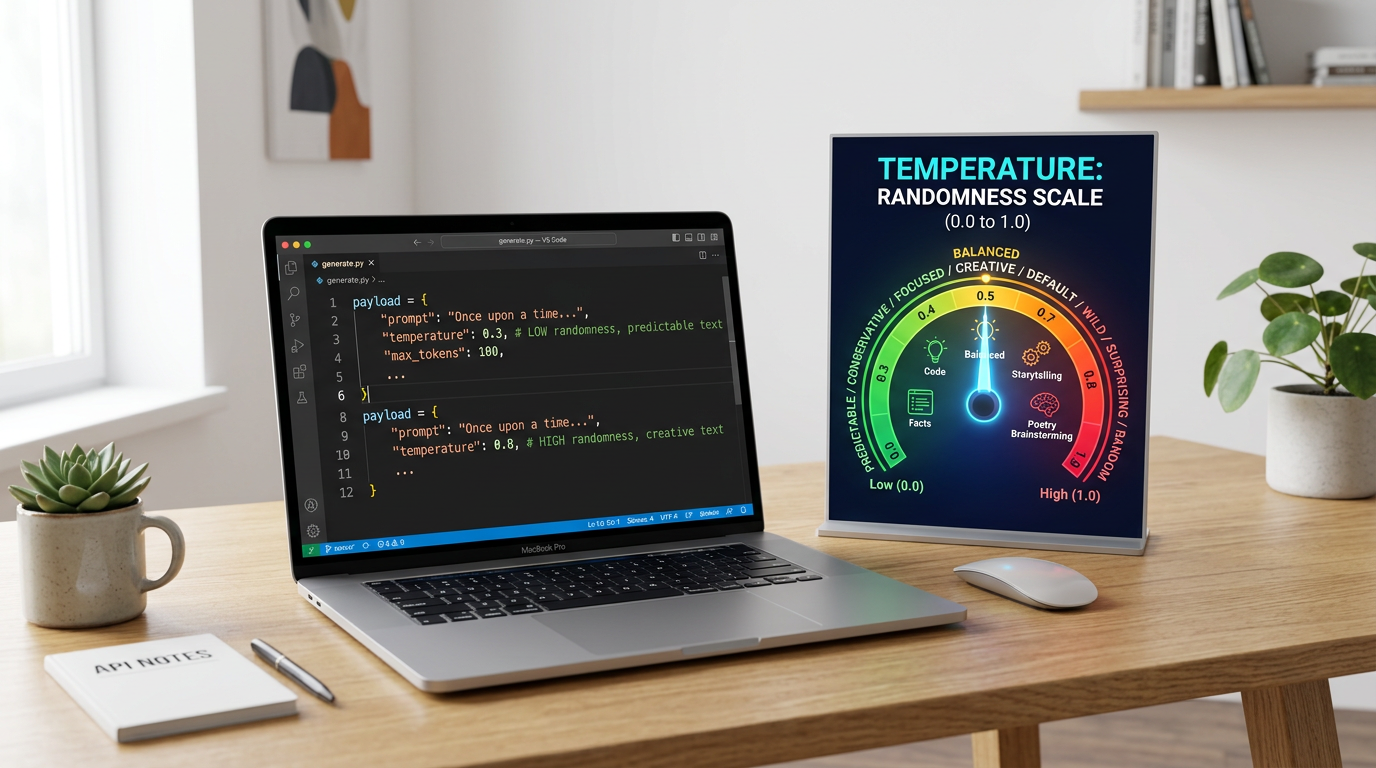
Temperature controls how random or creative Claude’s responses will be. Think of it as a creativity dial.
What Temperature Does
Temperature typically ranges from 0.0 to 1.0:
- Low temperature (0.0 – 0.3): More focused, consistent, and deterministic responses
- Medium temperature (0.4 – 0.7): Balanced between consistency and variety
- High temperature (0.8 – 1.0): More creative, varied, and unpredictable outputs
Important clarification: Temperature affects randomness, not factual accuracy. A low temperature won’t prevent hallucinations—it just makes responses more consistent each time you run the same prompt.
Practical Temperature Examples
For factual Q&A or data extraction (use low temperature):
{
  "model": "claude-3-sonnet-20240229",
  "messages": [
    {"role": "user", "content": "Extract the product name and price from: Premium Wireless Headphones - $149.99"}
  ],
  "temperature": 0.2,
  "max_tokens": 100
}
With temperature: 0.2, you’ll get consistent, predictable extraction every time.
For creative brainstorming (use high temperature):
{
  "model": "claude-3-sonnet-20240229",
  "messages": [
    {"role": "user", "content": "Generate 5 creative names for a coffee shop"}
  ],
  "temperature": 0.9,
  "max_tokens": 200
}
With temperature: 0.9, each API call will produce different creative suggestions.
When to Adjust Temperature
- Use 0.0-0.3 for: Classification, data extraction, structured outputs, technical documentation
- Use 0.4-0.7 for: General chat, customer support, balanced content generation
- Use 0.8-1.0 for: Creative writing, brainstorming, generating diverse variations
Max_Tokens Usage in Claude API: Controlling Length and Cost
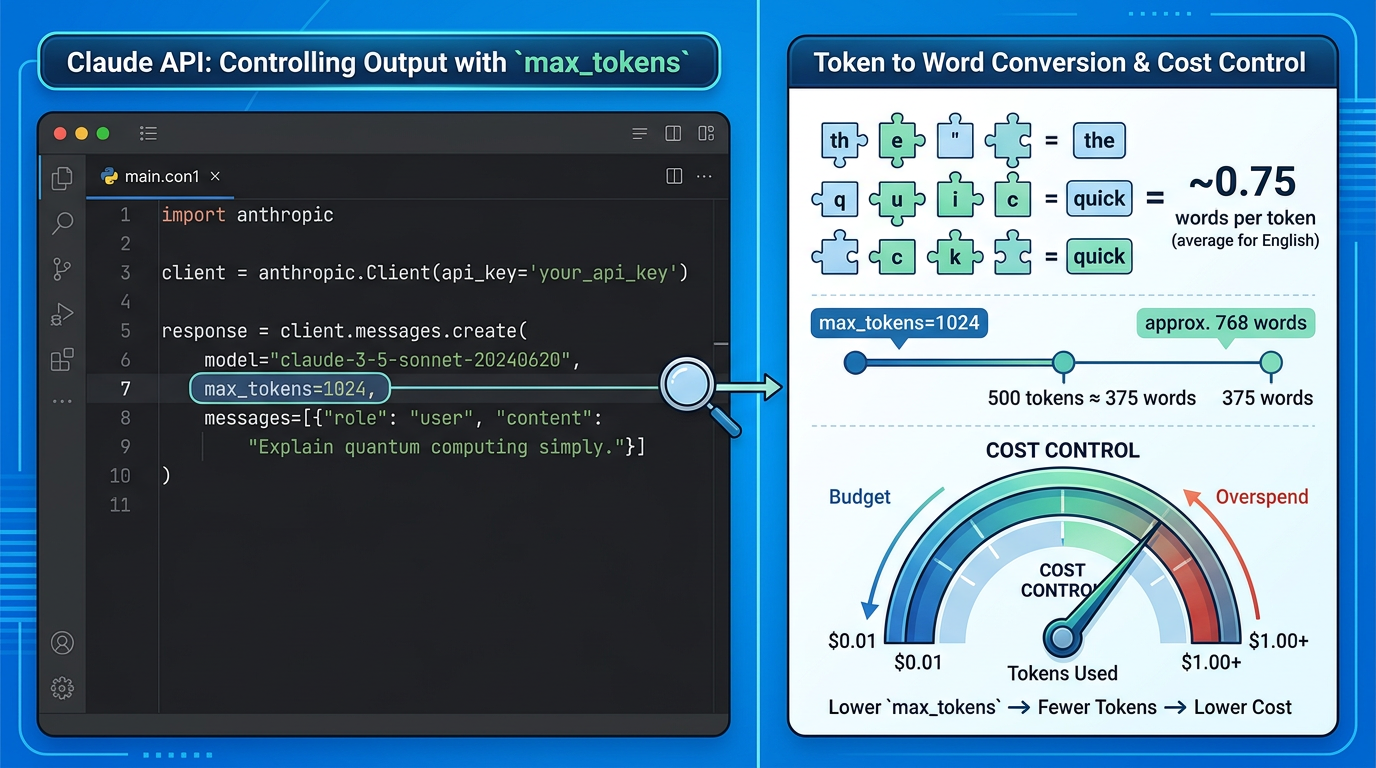
Max_tokens limits how long Claude’s response can be. This parameter serves two purposes: controlling output length and managing API costs.
Understanding Tokens vs Words
A common beginner mistake is thinking tokens equal words. They don’t. Tokens are chunks of text used by the AI model:
- One token ≈ 4 characters in English
- One token ≈ 0.75 words on average
- Punctuation and spaces count as tokens
If you set max_tokens: 100, expect roughly 75 words, not 100 words.
How Max_Tokens Works
When Claude reaches your token limit, it stops generating—even mid-sentence. The API response will include metadata showing why it stopped (token limit vs natural completion).
Example with different max_tokens values:
{
  "model": "claude-3-sonnet-20240229",
  "messages": [
    {"role": "user", "content": "Explain how photosynthesis works"}
  ],
  "temperature": 0.5,
  "max_tokens": 50
}
With max_tokens: 50, you might get a truncated response that cuts off abruptly. Increase to max_tokens: 300 for a complete explanation.
Cost Control with Max_Tokens
Since Anthropic charges per token, max_tokens directly affects your costs. Setting appropriate limits prevents unexpectedly expensive API calls:
- Short summaries: max_tokens: 100-200
- Paragraph responses: max_tokens: 300-500
- Long-form content: max_tokens: 1000-2000
Always check the official Anthropic pricing page for current per-token costs, as pricing varies by model and can change.
Common Max_Tokens Mistakes
Mistake 1: Setting max_tokens too low and getting cut-off responses Solution: Start higher than you think you need, then reduce based on actual token usage
Mistake 2: Assuming max_tokens guarantees that length Solution: Claude may stop naturally before reaching your limit; max_tokens is a ceiling, not a target
Using Stop Sequences in Claude API for Precise Control
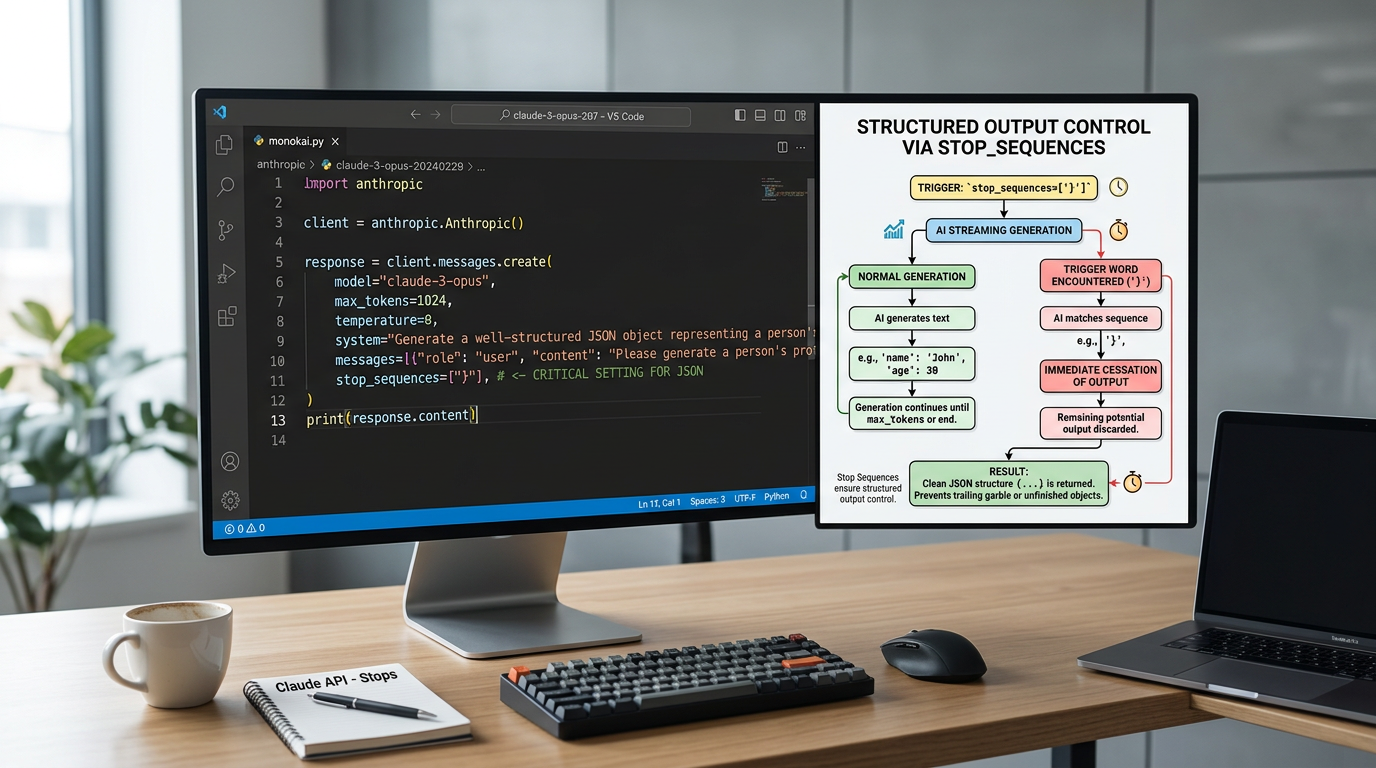
Stop_sequences let you tell Claude exactly where to stop generating text. This is incredibly useful for structured outputs, chat systems, and parsing responses programmatically.
What Stop Sequences Do
A stop sequence is a text pattern that, when generated, immediately ends the response. You provide an array of strings, and Claude stops as soon as it generates any of them.
Basic stop_sequences format:
{
  "model": "claude-3-sonnet-20240229",
  "messages": [
    {"role": "user", "content": "List three benefits of exercise"}
  ],
  "stop_sequences": ["4.", "---", "END"]
}
If Claude starts to write “4.”, it immediately stops—perfect for limiting list length.
Stop Sequences for Structured Data
One of the best use cases is generating clean, parseable output:
{
  "model": "claude-3-sonnet-20240229",
  "messages": [
    {"role": "user", "content": "Generate a product description ending with '---'"}
  ],
  "stop_sequences": ["---"]
}
Your code can now reliably split outputs using the --- marker because Claude will never generate past it.
Stop Sequences for Chat Applications
In multi-turn conversations, use stop_sequences to manage turn-taking:
{
  "model": "claude-3-sonnet-20240229",
  "messages": [
    {"role": "user", "content": "Continue this conversation:\n\nHuman: What's the weather?\n\nAssistant:"}
  ],
  "stop_sequences": ["Human:", "\n\nHuman"]
}
Claude stops as soon as it would generate “Human:”, keeping assistant turns cleanly separated.
Stop Sequences Best Practices
- Use unique markers that won’t appear naturally in responses
- Test case sensitivity – behavior may vary, so check the official documentation
- Combine with max_tokens as a safety net in case your stop sequence never appears
- Keep sequences short – longer patterns may not trigger reliably
Combining Parameters: Real-World AI Output Control Examples
The real power comes from using temperature, max_tokens, and stop_sequences together.
Use Case 1: Consistent Structured Data Extraction
{
  "model": "claude-3-sonnet-20240229",
  "messages": [
    {"role": "user", "content": "Extract JSON from: John Smith, age 32, lives in Boston\n\n{"}
  ],
  "temperature": 0.0,
  "max_tokens": 150,
  "stop_sequences": ["\n\n"]
}- Low temperature (0.0) for consistency
- Limited max_tokens to prevent runaway generation
- Stop sequence to cleanly end the JSON object
Use Case 2: Cost-Controlled Summaries
{
  "model": "claude-3-sonnet-20240229",
  "messages": [
    {"role": "user", "content": "Summarize this article in 2-3 sentences: [article text]"}
  ],
  "temperature": 0.3,
  "max_tokens": 100
}- Moderate-low temperature for focused summarization
- Tight max_tokens limit keeps costs predictable
- No stop_sequences needed since you want natural completion
Use Case 3: Creative Generation with Boundaries
{
  "model": "claude-3-sonnet-20240229",
  "messages": [
    {"role": "user", "content": "Write a short product description for noise-canceling headphones. End with 'STOP'"}
  ],
  "temperature": 0.8,
  "max_tokens": 300,
  "stop_sequences": ["STOP"]
}- High temperature for creative variation
- Generous max_tokens for complete thoughts
- Stop sequence for programmatic parsing
Testing and Debugging Your Parameter Settings
When experimenting with Claude API parameters, follow this systematic approach:
- Start with defaults: Begin with moderate settings (temperature: 0.7, max_tokens: 500, no stop_sequences)
- Change one parameter at a time: This helps you isolate effects
- Check response metadata: Look for
stop_reasonin the API response—it tells you whether Claude stopped due to max_tokens, a stop_sequence, or natural completion - Run multiple tests: Especially with higher temperatures, run the same prompt several times to see variation
Debugging checklist:
- Responses cut off mid-sentence? → Increase max_tokens
- Too much randomness? → Lower temperature
- Can’t parse outputs reliably? → Add stop_sequences
- API bills too high? → Reduce max_tokens
- Stop sequence not working? → Check for case sensitivity and try a more unique pattern
Common Mistakes and How to Avoid Them
Mistake 1: Thinking temperature 0.0 makes outputs perfectly factual Fix: Temperature controls randomness, not accuracy. Use clear prompts and verification for factuality.
Mistake 2: Setting max_tokens = desired word count Fix: Tokens ≠ words. For 200 words, try max_tokens: 250-300.
Mistake 3: Not handling truncated responses in your code Fix: Always check the stop_reason field and handle partial outputs gracefully.
Mistake 4: Using natural language as stop_sequences Fix: Choose unlikely markers like “—“, “###”, or “END” that won’t appear accidentally.
Mistake 5: Forgetting that parameters interact Fix: High temperature + low max_tokens can produce incomplete creative outputs. Balance your settings.
Frequently Asked Questions
Do I need a paid account to use these parameters? Check the official Anthropic Console for current account and billing requirements. API access typically requires billing setup.
Can I use these parameters with streaming responses? Yes, temperature, max_tokens, and stop_sequences work with streaming. The response will stream until it hits your limits.
Which Claude models support these parameters? Before relying on specific model names or capabilities, verify current model availability in the official Anthropic model documentation, as models and features evolve over time.
How do I know if my response hit the token limit? Check the stop_reason field in the API response metadata. It will indicate whether the stop was due to max_tokens, a stop_sequence, or natural end_turn.
Is there a tool to count tokens before making requests? Anthropic may provide tokenizer tools or token estimation utilities. Check the official documentation for recommended methods to estimate token usage.
Next Steps: Expanding Your Claude API Beginner Guide
You now understand the core parameters for controlling AI output: temperature for randomness, max_tokens for length and cost, and stop_sequences for precise stopping points.
To continue learning:
- Explore other Claude API parameters like
top_pandtop_kfor additional sampling control - Integrate these parameters into automation workflows using n8n or Make
- Experiment with different model versions to understand their parameter behaviors
- Monitor token usage and costs over time to optimize your settings
Before building production systems, always verify current parameter ranges, model names, pricing, and rate limits directly from the official Anthropic API reference and pricing page, as these details can change after this tutorial was published.
Start experimenting with these three parameters today—you’ll quickly see how much control they give you over Claude’s responses. Small adjustments can make the difference between unusable outputs and perfectly tuned AI assistance.
Enjoyed this article?