
How to Choose AI Model for Automation: Beginner’s Practical Guide
Focus keyword: choose AI model for automation
Choosing the right AI model for your automation project doesn’t require a PhD in machine learning. Whether you’re building your first chatbot, automating document processing, or creating an intelligent workflow with tools like n8n, the key is understanding a few practical selection criteria and matching them to your specific needs.
This tutorial walks you through a beginner-friendly framework to choose AI models for automation, complete with real-world examples and integration guidance for no-code tools and Docker deployments.
▶Previous Tutorial : Claude Model Comparison 2026: Fable 5 vs Opus 4.8 vs Sonnet 5 vs Haiku 4.5 – Ultimate Guide to the Best Model
Who This Tutorial Is For
This guide is designed for:
- Developers exploring AI automation for the first time
- No-code builders using workflow tools like n8n who want to add AI capabilities
- Tech-savvy beginners who understand APIs and containers but haven’t worked with AI models yet
- Hobbyists and side-project builders evaluating AI options on a budget
You don’t need machine learning expertise. You do need basic familiarity with APIs, environment variables, and either no-code workflow tools or Docker basics.
Understanding AI Model Types for Automation
Before you can choose an AI model for automation, you need to know what types exist and which tasks they handle.
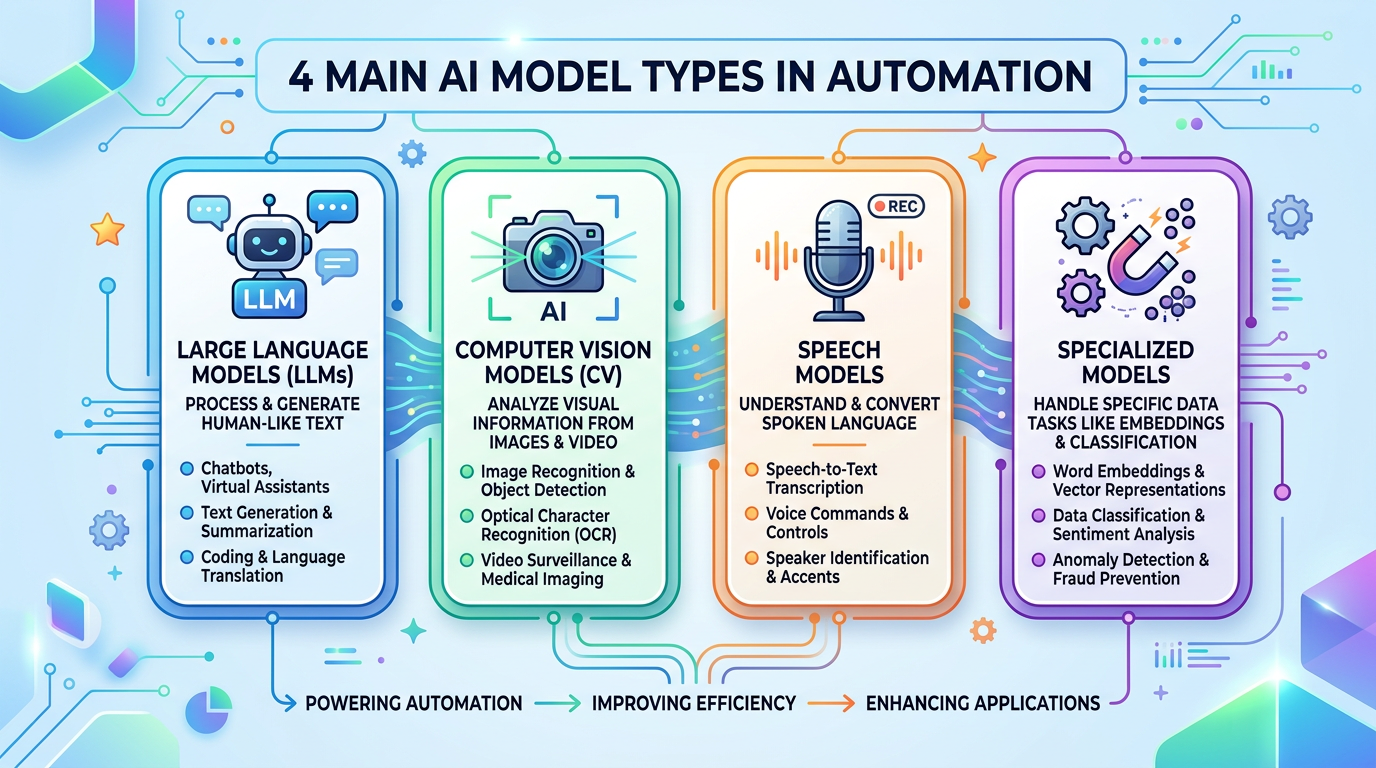
Large Language Models (LLMs) process and generate text. Use them for chatbots, email automation, content generation, summarization, or any text-based task. Examples include GPT-4, Claude, Gemini, and open source models like Llama and Mistral.
Computer Vision Models analyze images. Use them for image classification, object detection, optical character recognition (OCR), or image generation workflows. Popular options include CLIP, YOLO variants, and Stable Diffusion.
Speech Models handle audio input and output. Use them for transcription, voice commands, or text-to-speech automation. Whisper and various TTS APIs fall into this category.
Specialized Models handle embedding generation, classification, sentiment analysis, or other narrow tasks. These are often smaller, faster, and cheaper than general-purpose LLMs.
For most automation beginners, you’ll start with an LLM for text tasks. This tutorial focuses primarily on that use case, though the selection framework applies to other model types.
How AI Model Access Methods Work
AI models reach your automation workflow through three main paths:
API-based models are hosted by providers like OpenAI, Anthropic, or Google. You send requests to their servers and pay per use (usually per token). This is the easiest starting point for beginners because there’s no infrastructure to manage. The trade-off: ongoing costs and dependency on the provider’s service availability.
Self-hosted open source models run on your own hardware or cloud servers. You handle deployment, maintenance, and scaling. This gives you control and can reduce long-term costs, but requires technical skills and upfront setup. Smaller models like Mistral 7B can run on modest hardware; larger models demand significant GPU resources.
Managed inference platforms like Hugging Face Inference API, Replicate, or Together AI sit in the middle. They host open source models for you with simple API access and pay-per-use pricing, combining the ease of APIs with the variety of open source models.
For your first automation project, start with API-based models or managed platforms. Self-hosting makes sense later when you have specific privacy, cost, or customization requirements.
Model Selection Criteria for AI Automation
Use this practical framework to evaluate which AI model fits your project:
Task requirements: Does the model handle your specific task well? Check provider documentation for intended use cases. A model optimized for code generation may underperform at creative writing, and vice versa.
Performance trade-offs: Larger, more capable models (like GPT-4) produce higher quality results but cost more and run slower. Smaller models (like GPT-3.5 or Mistral 7B) respond faster and cost less but may produce less accurate or nuanced outputs. Match the quality level to what your automation actually needs—don’t overpay for capability you won’t use.
Budget constraints: Calculate your expected monthly usage. If you’re processing 1,000 requests per day with an average of 500 tokens per request (input plus output), you’re looking at roughly 15 million tokens monthly. Check current provider pricing pages to estimate costs. Free tiers exist but have strict rate limits unsuitable for production automation.
Context window size: This is how much text the model can process at once, measured in tokens (roughly 750 words per 1,000 tokens). Document processing workflows need larger context windows. If you’re summarizing 10-page reports, you need a model with at least 32,000 tokens of context; models with 4,000-8,000 token limits won’t work.
Rate limits: Free tiers and lower-cost plans often cap requests per minute. If your automation sends bursts of requests, you’ll hit these limits. Check rate limit documentation before committing to a provider.
Integration complexity: How easily does the model connect to your workflow tool? Native n8n nodes exist for some AI services (like the AI Agent and AI Transform nodes documented in n8n), while others require HTTP request nodes or custom plugins.
Data privacy requirements: API-based models send your data to external servers. If you’re processing sensitive information, you may need self-hosted models or providers with explicit data handling guarantees.
Practical Model Selection Scenarios
Let’s apply the framework to real automation projects:
Scenario 1: Customer Support Email Automation
Requirements: Understand customer intent from email, generate helpful response drafts, handle 200 emails daily.
Evaluation:
- Task: LLM suited for conversational text
- Performance: Medium quality needed (customer-facing but human-reviewed)
- Budget: ~200 requests/day × 800 tokens average = 4.8M tokens/month
- Context: Email length rarely exceeds 2,000 tokens
- Rate limits: Spread throughout business day, no burst issues
Recommendation: Use GPT-3.5 Turbo or Claude Haiku (check current provider pricing pages for the latest options and costs). Both handle conversational tasks well, respond quickly, and cost significantly less than flagship models. Your monthly cost will likely stay under budget thresholds for small business use. Consider Claude Haiku if you want strong instruction-following; GPT-3.5 for mature ecosystem and tools.
Scenario 2: Long Document Processing
Requirements: Extract key information from legal contracts averaging 15 pages each, process 50 documents monthly.
Evaluation:
- Task: Information extraction from structured documents
- Performance: High accuracy critical (legal context)
- Budget: Low volume but long inputs (~20,000 tokens per document = 1M tokens/month)
- Context: Need at least 32,000 token window
- Rate limits: Not an issue at this volume
Recommendation: Use Claude Sonnet or GPT-4 with extended context (verify current context window specifications before selecting). Prioritize accuracy over cost for legal work. The larger context windows in these models handle full documents without splitting. Test with sample contracts to confirm extraction quality meets your standards.
Scenario 3: Simple Content Generation Bot
Requirements: Generate social media post ideas, personal project, minimal budget.
Evaluation:
- Task: Creative text generation, short outputs
- Performance: Quality is flexible (personal use)
- Budget: Strict ($0-5/month)
- Context: Small inputs and outputs
- Rate limits: Occasional use, a few requests per day
Recommendation: Start with free tiers (providers often offer limited free access—verify current availability) or use Hugging Face Inference API with a smaller open source model. For personal projects with flexible quality requirements and minimal volume, free options suffice. Upgrade only if quality becomes a limiting factor.
Using AI Models with n8n
For the latest official details, see AI Transform node.
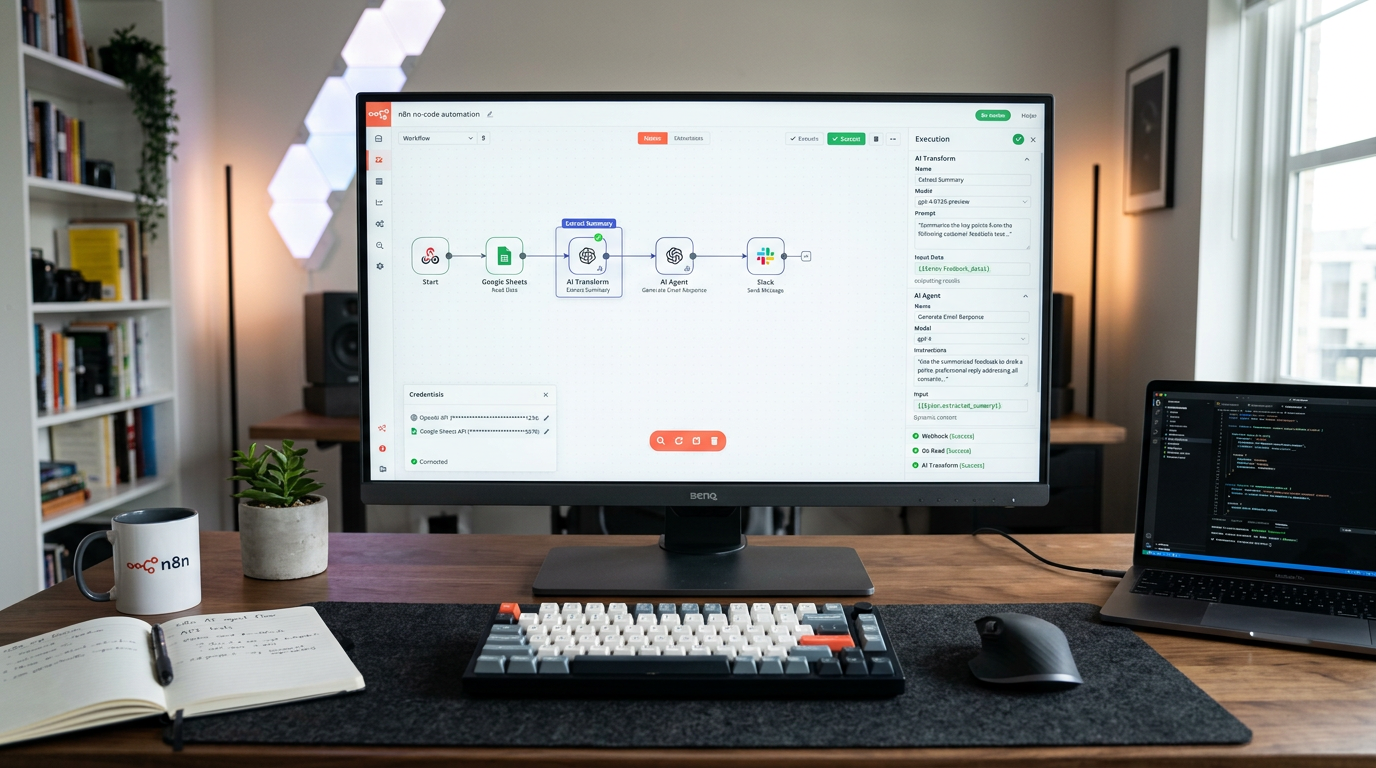
For the latest official details, see AI Agent node.
n8n is a fair-code licensed workflow automation tool that includes AI capabilities through nodes like AI Agent and AI Transform, documented on the main n8n docs site.
Basic Setup Steps:
- Get an API key from your chosen AI provider (OpenAI, Anthropic, etc.). Find the API section in their dashboard and generate a new key.
- Add credentials in n8n: In your n8n instance (cloud-hosted or self-hosted), go to Credentials and create a new credential for your AI service. Paste your API key and save it securely.
- Add an AI node to your workflow: Use the AI Agent node for more complex AI-powered applications where you connect tools as sub-nodes, or use HTTP Request nodes for direct API calls if you need custom configurations not available in built-in nodes.
- Configure the node: Select your model, set parameters like temperature (controls randomness—lower is more focused, higher is more creative), and define your prompt or system message.
- Test with sample data: Before running on production data, test your workflow with representative examples to verify output quality and catch errors.
Security Note: Store API keys as n8n credentials or environment variables, never hardcoded in workflows. For self-hosted n8n in Docker, pass secrets as environment variables in your docker-compose configuration.
Before following specific installation steps for n8n, check the latest official documentation because setup methods may change. Self-hosted instances can install additional custom nodes or plugins via npm; Docker-based deployments can mount custom nodes via volumes or extended images.
Deploy AI Models with Docker
For the latest official details, see latest Docker official documentation.
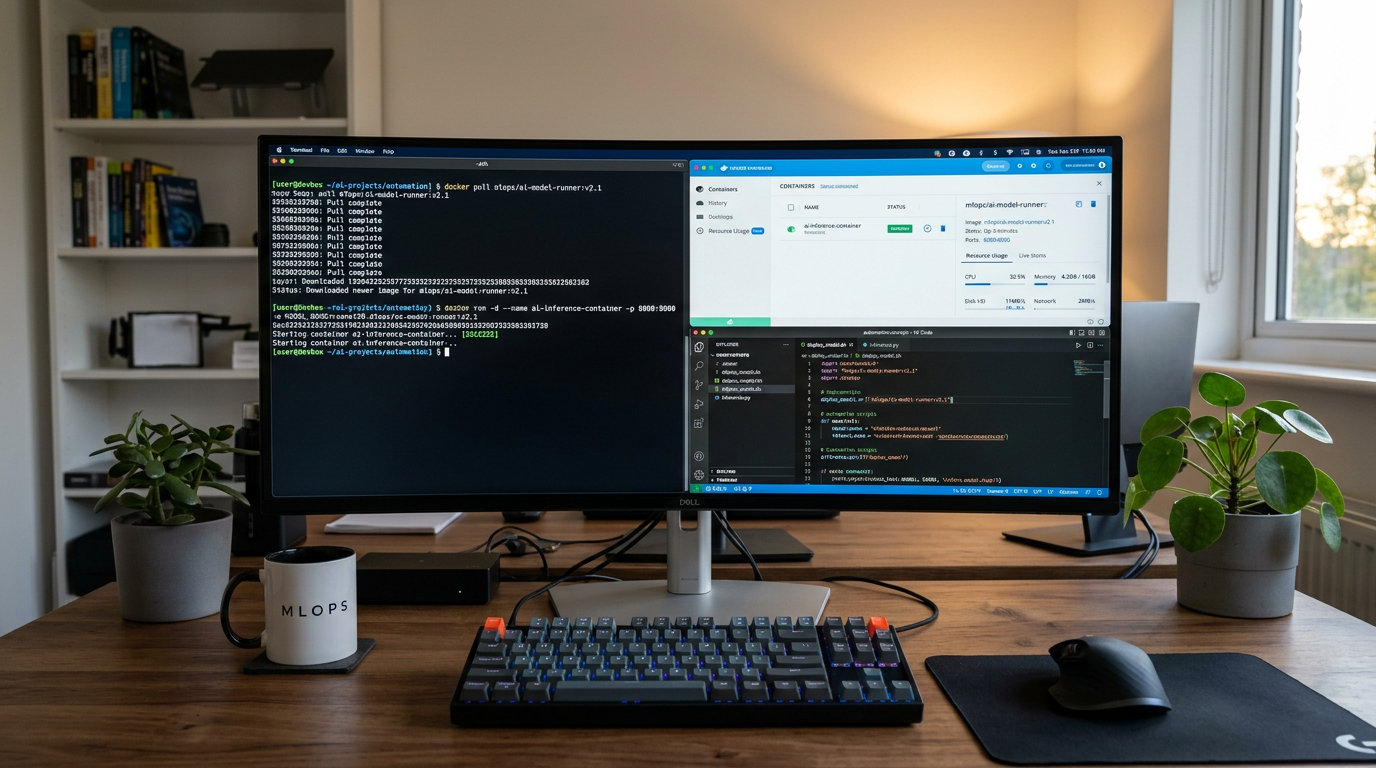
Docker deployment makes sense when you want to self-host open source models for privacy, cost control, or offline operation.
When to Use Docker for AI Models:
- You need to process sensitive data without sending it to external APIs
- You have predictable, high-volume workloads where per-token pricing becomes expensive
- You want full control over model versions and behavior
- You have access to appropriate hardware (CPU is fine for small models; GPU required for larger models)
Basic Docker Deployment Approach:
For CPU-friendly smaller models, you can use containers that wrap inference servers like Hugging Face’s text-generation-inference or vLLM. The general pattern:
- Choose a model that fits your hardware constraints (check model size and RAM requirements in the model card)
- Pull or build a Docker image that includes the inference server and model
- Run the container with appropriate resource limits and port mappings
- Connect your n8n workflow to the containerized model via HTTP request node pointed at
http://localhost:[port]or your container’s network address
GPU access in Docker requires additional configuration (NVIDIA Container Toolkit for NVIDIA GPUs) and is more complex—consider it an intermediate topic. For beginners, start with smaller models that run adequately on CPU or use managed inference platforms instead.
Before deploying models in Docker, consult the latest Docker official documentation and the specific model’s deployment guide for resource requirements and security recommendations.
Common Mistakes When Choosing AI Models for Automation
Mistake 1: Starting with the most expensive flagship model. Many automation tasks work fine with mid-tier models. Start smaller and upgrade only if quality is insufficient.
Mistake 2: Ignoring rate limits during testing. Free tiers have strict per-minute limits. If you test rapidly or run parallel workflows, you’ll get rate-limited and think the integration is broken. Spread test requests appropriately.
Mistake 3: Not testing with production data volume. A prompt that works with 10 sample inputs might fail or produce unexpected results at scale. Always test with realistic volumes and edge cases.
Mistake 4: Underestimating token usage. Tokens include both input (your prompt) and output (the model’s response). A long system prompt on every request adds up quickly. Measure actual token usage early to avoid surprise costs.
Mistake 5: Forgetting about model version changes. API providers update models. A model name like “gpt-4” may point to different underlying versions over time. Pin specific model versions in production workflows when available.
Mistake 6: Neglecting security for API keys. Exposed API keys lead to unauthorized usage and unexpected bills. Always use environment variables or secrets management, especially in shared or public repositories.
Quick Decision Checklist
Use this checklist to choose your AI model for automation:
- [ ] I’ve identified my specific task (text generation, analysis, classification, etc.)
- [ ] I’ve estimated my monthly request volume and average tokens per request
- [ ] I’ve calculated approximate monthly costs at my expected volume
- [ ] I’ve verified the model’s context window fits my input size
- [ ] I’ve checked rate limits and confirmed they won’t block my workflow
- [ ] I’ve confirmed the model integrates with my tools (n8n, API, Docker)
- [ ] I’ve reviewed data privacy requirements for my use case
- [ ] I’ve planned how to secure API keys or credentials
- [ ] I’ve allocated time to test with realistic sample data before production
Frequently Asked Questions
Do I need to know machine learning to choose an AI model? No. You need to understand your task requirements, budget, and basic API concepts. The selection framework in this tutorial is based on practical criteria, not ML theory.
Can I switch models later if I choose the wrong one? Yes. Most automations access models through APIs or nodes that can be reconfigured. Switching providers or models usually requires updating credentials and possibly adjusting prompts, but your overall workflow logic remains intact.
What are tokens and why do they matter? Tokens are chunks of text the model processes (roughly 750 words per 1,000 tokens). Pricing is typically per token, so understanding token usage helps you predict costs. Both your input prompt and the model’s output count toward your token usage.
How do I keep my API keys secure in automation workflows? Use environment variables or your workflow tool’s credential storage (like n8n credentials). Never hardcode keys in workflow files or commit them to version control. For Docker deployments, pass secrets as environment variables in your compose file.
What’s the difference between free and paid tiers? Free tiers have strict rate limits, lower priority during high demand, and often shorter context windows or restricted model access. Paid tiers increase limits, guarantee availability, and often include access to more capable models. For serious automation, budget for paid tiers.
Next Steps: Start Building Your AI Automation
You now have a practical framework to choose AI models for automation. Here’s how to move forward:
Start with an API-based model through a managed provider. This removes infrastructure complexity and lets you focus on building your workflow logic. Once you’ve validated your use case and understand your actual usage patterns, you can optimize for cost by considering self-hosting or switching providers.
Build a minimal test workflow in n8n or your preferred tool. Connect one AI model, send a few test requests, and verify outputs before expanding to production volume.
Monitor your usage and costs during the first month. Many beginners are surprised (in either direction) by actual token consumption. Measure reality rather than assumptions.
Iterate on your prompts and configuration. Model performance depends heavily on how you structure prompts and set parameters. Experiment with different approaches to find what works for your specific task.
Before implementing any specific AI model integration, confirm technical details like pricing, model availability, and installation instructions in the latest official documentation, as these details change frequently.
With the right model selection criteria and a practical approach, you can confidently choose AI models for automation that fit your project’s needs, budget, and technical constraints—no machine learning degree required.
Enjoyed this article?